Obtain API Credentials
Step-by-step guide to get your User ID and Access Token
Before You Start
To use the GenVR API, you'll need two credentials:
- →User ID (uid): Your unique project identifier
- →Access Token: Your authentication token for API requests
Follow the steps below to obtain these credentials and add credits to your account.
Go to Teams Page
Navigate to the GenVR Teams page and click on 'New Project'
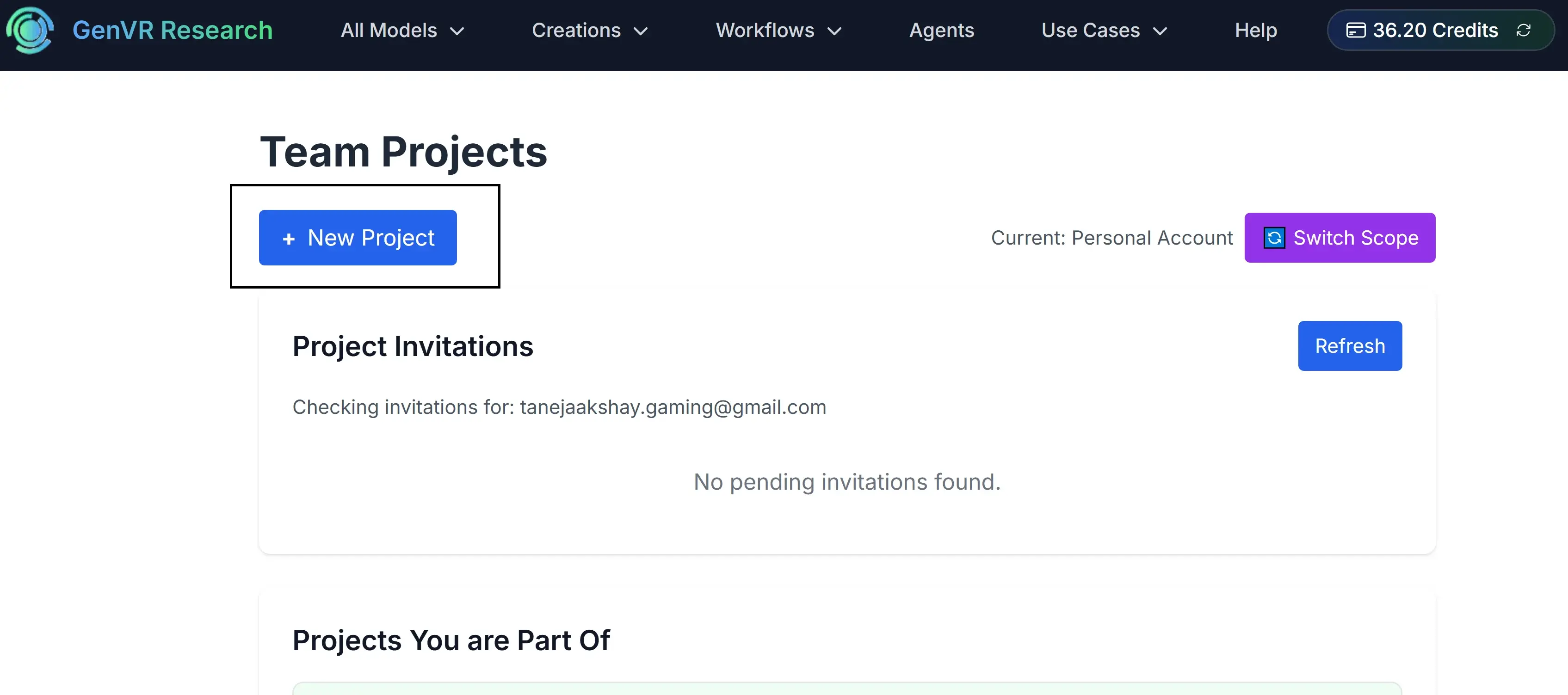
Create New Project
Enter a project name and click 'Create' to set up your new project

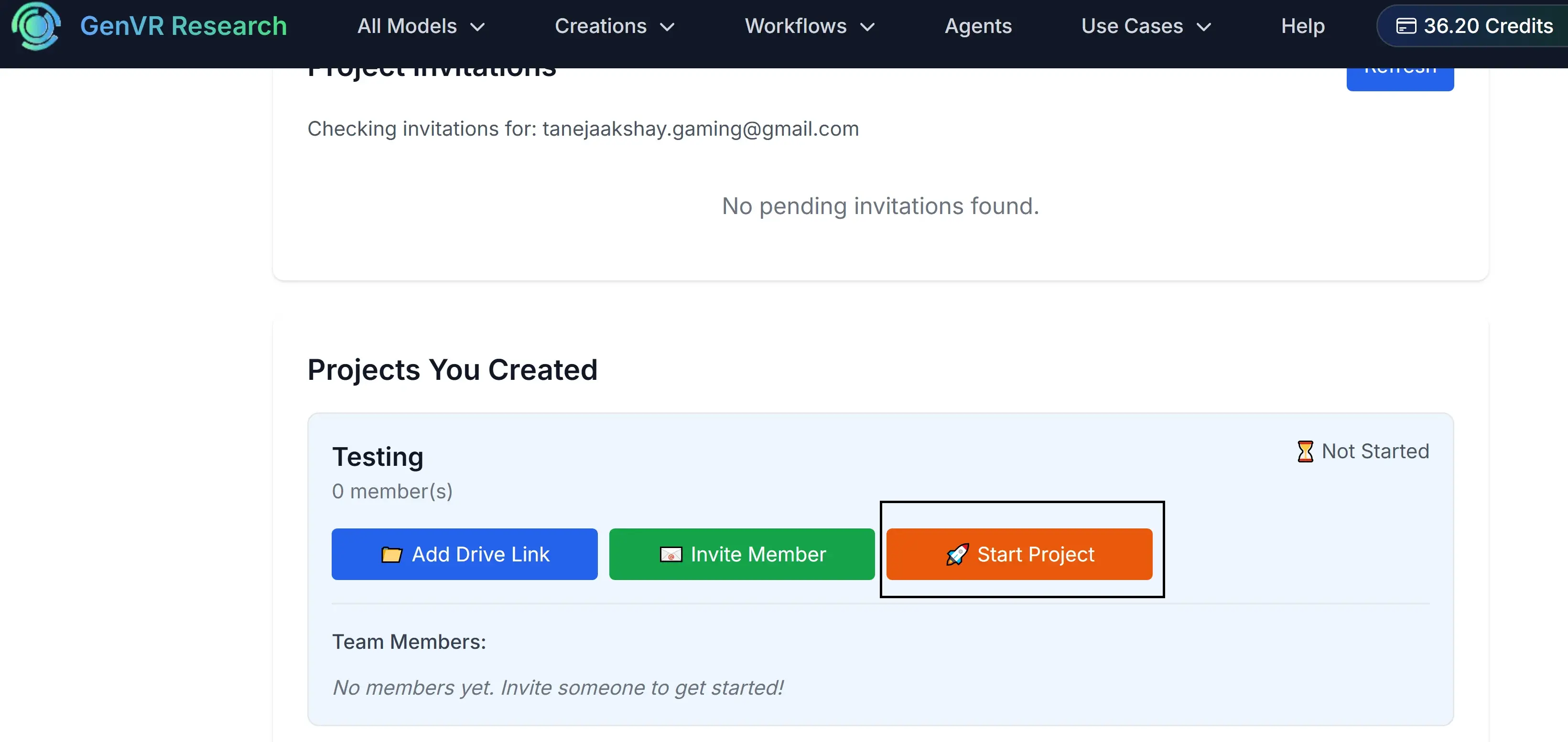
Start Your Project
Refresh the page to see your project listed, then click 'Start Project'
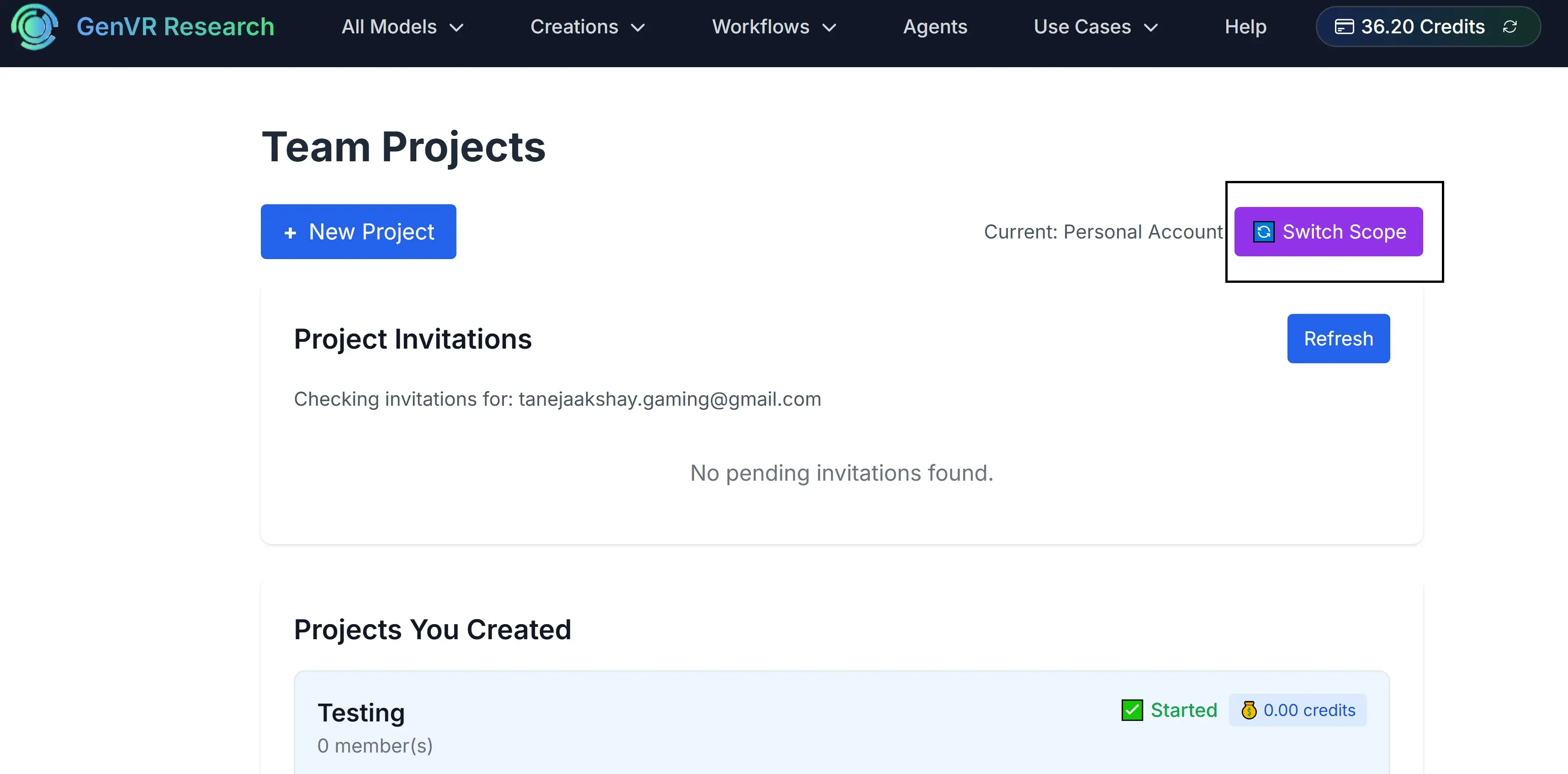
Switch Scope
Change your scope to the new project by clicking 'Switch Scope'
Get Your Credentials
Your User ID and API Key will be displayed on the dashboard. Copy these for your API requests.
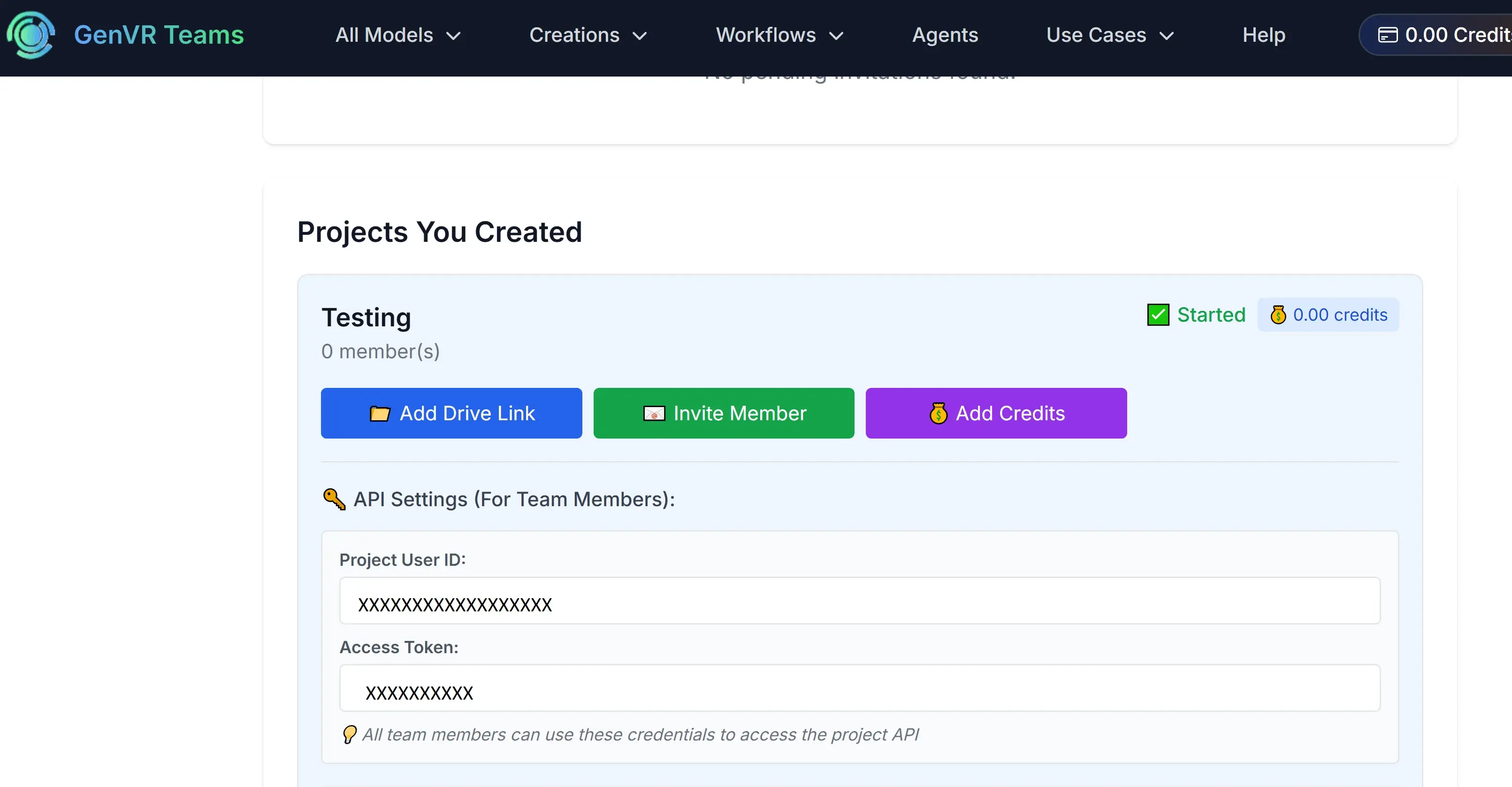
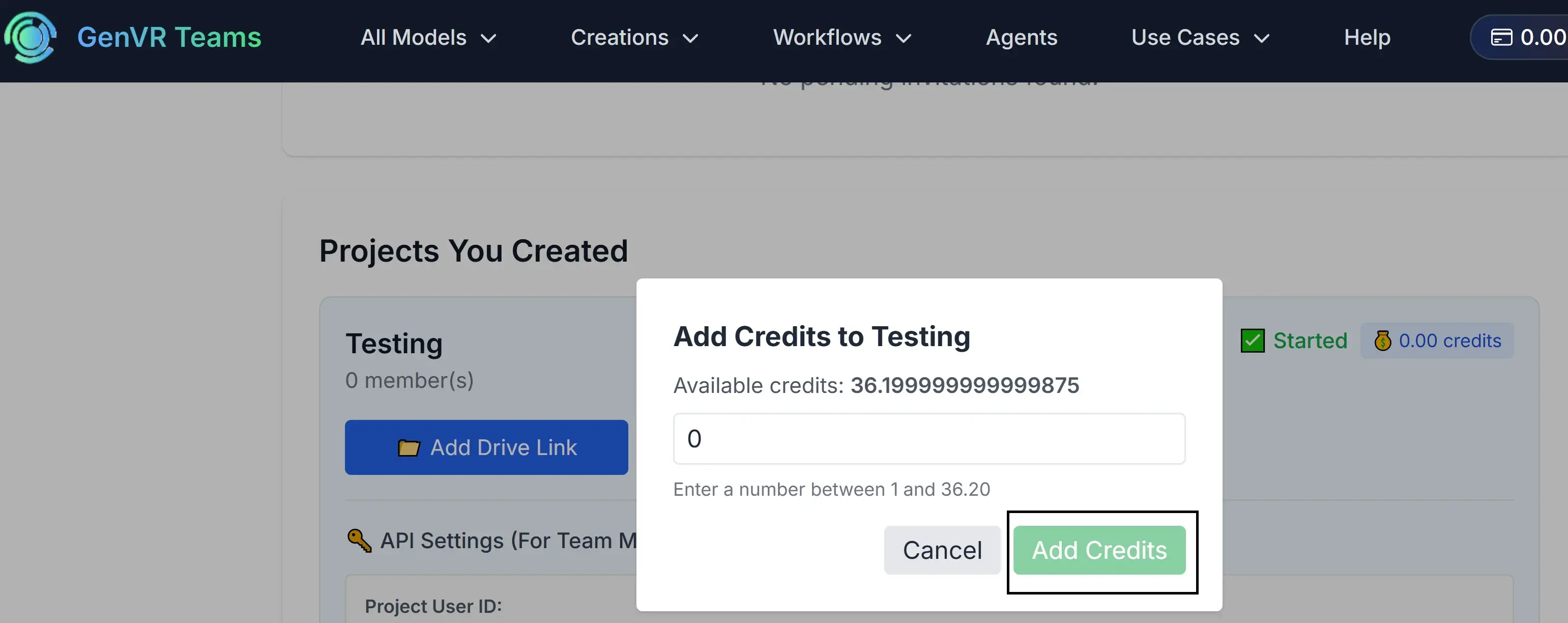
Add Credits
Click 'Add Credits', enter the amount you want to add, and click 'Add Credits' to fund your project
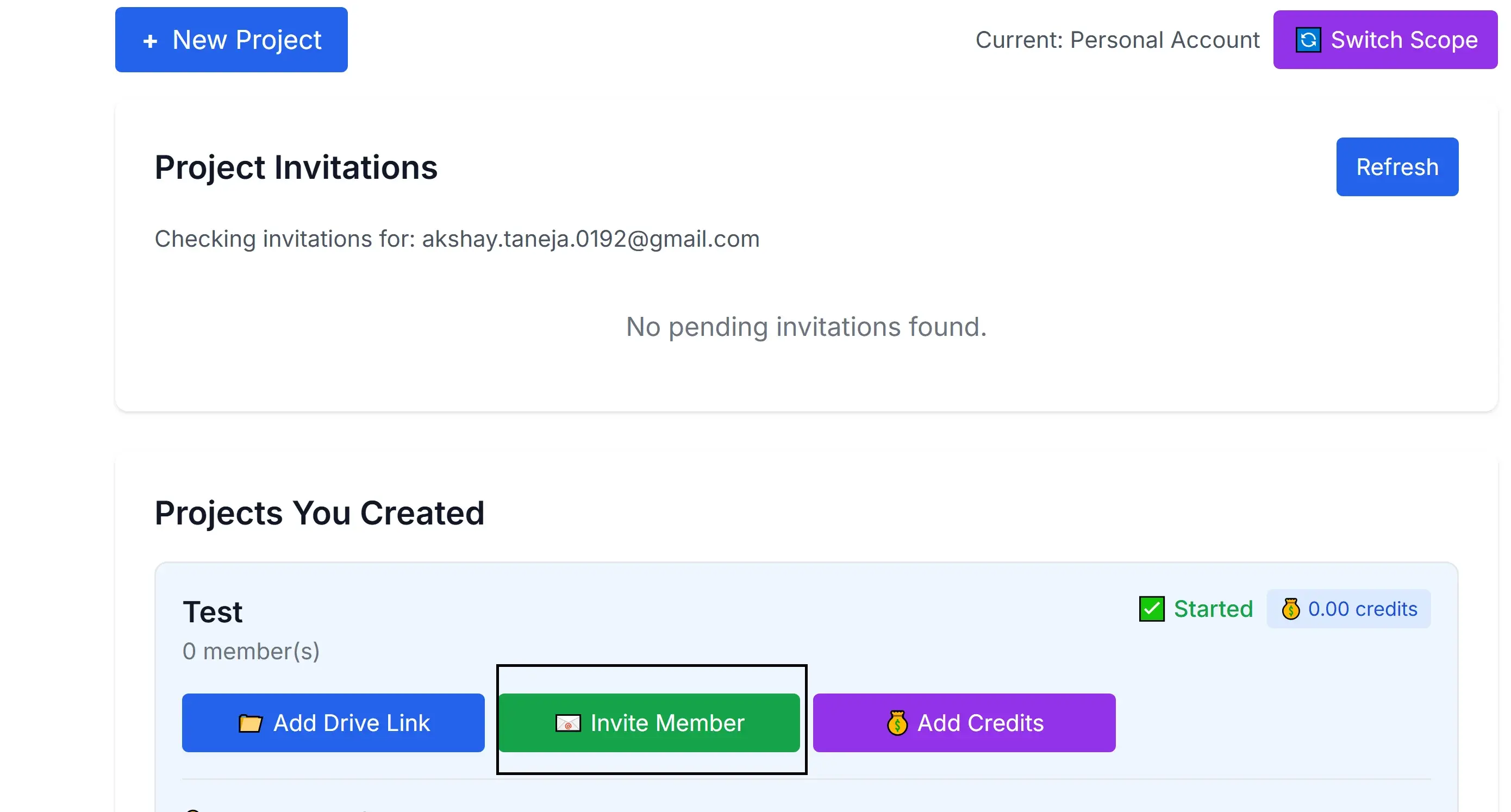
Invite Team Members
Invite team members to your project by clicking 'Invite Member' and entering their email addresses
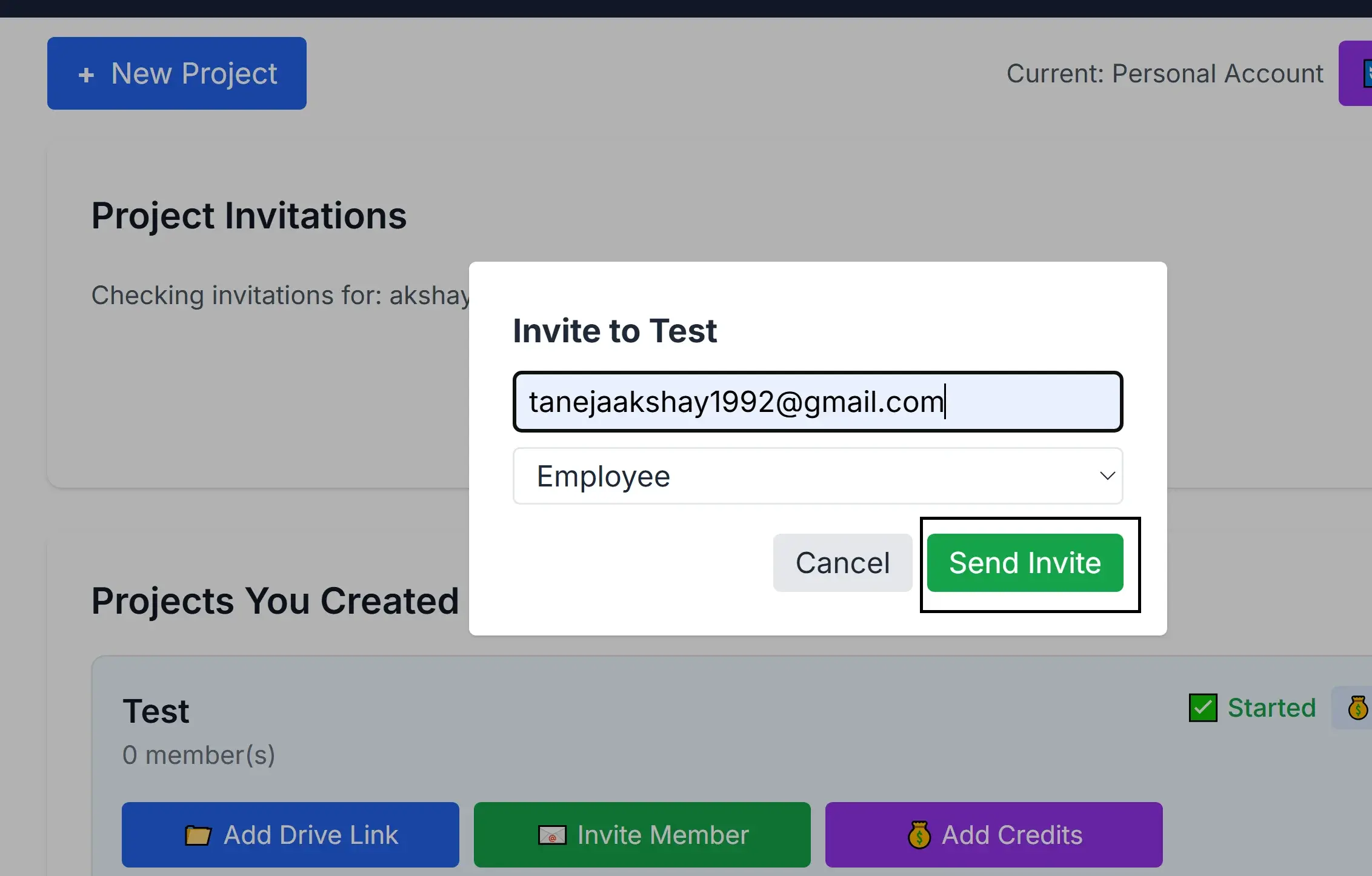
Enter Email Address and Submit
Enter the email address of the team member you want to invite and click 'Send Invite' to invite them to your project
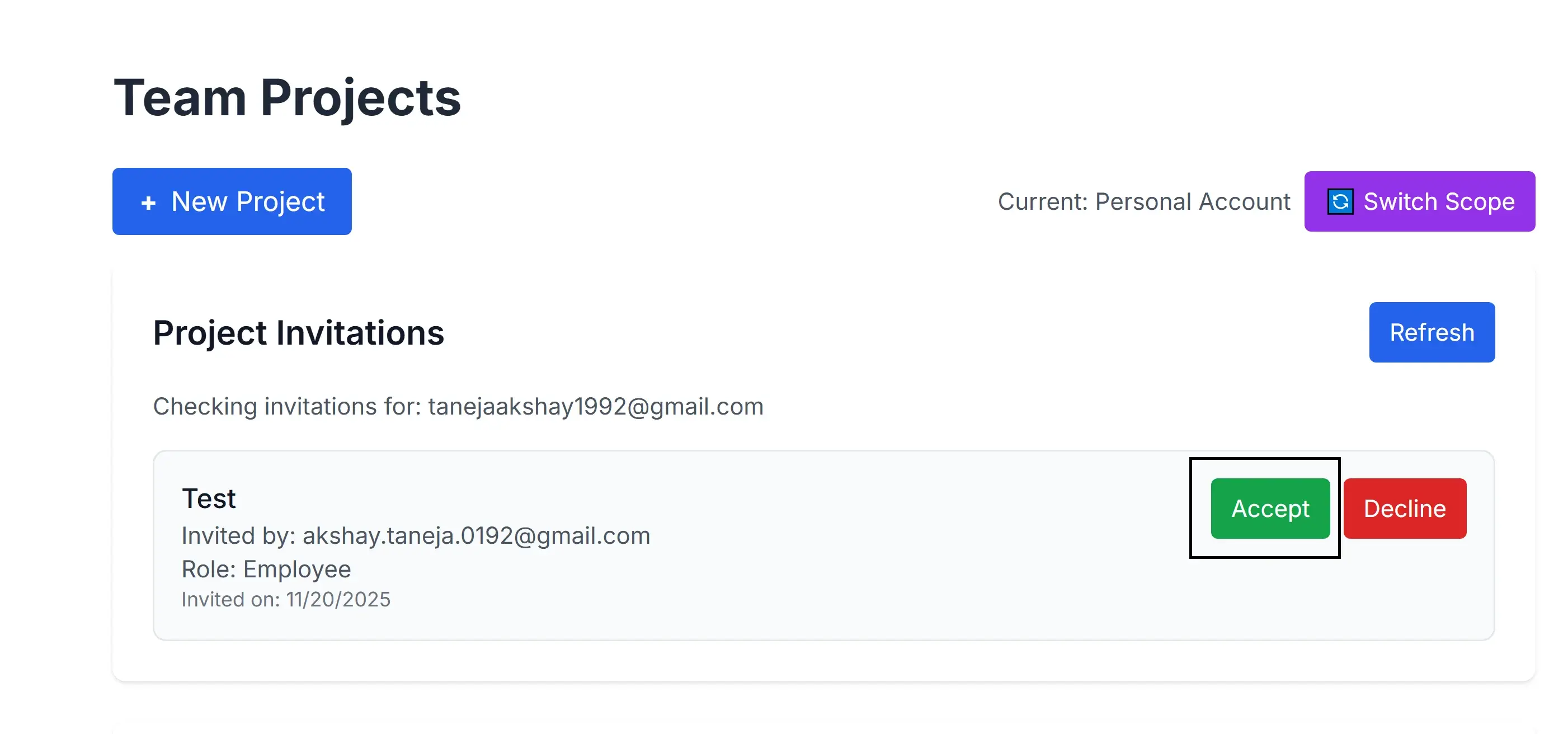
Approve or Reject Invitation
Team members need to check their Teams page and will see an invitation to join your project. They can approve or reject the invitation by clicking 'Approve' or 'Reject' to invite them to your project
Keep Credentials Secure
Never share your Access Token publicly or commit it to version control. Treat it like a password - store it securely in environment variables.
Credits & Billing
Each API call consumes credits based on the model and parameters used. Monitor your usage in the dashboard to avoid service interruptions.
Next Steps
Now that you have your credentials, you're ready to start using the GenVR API!